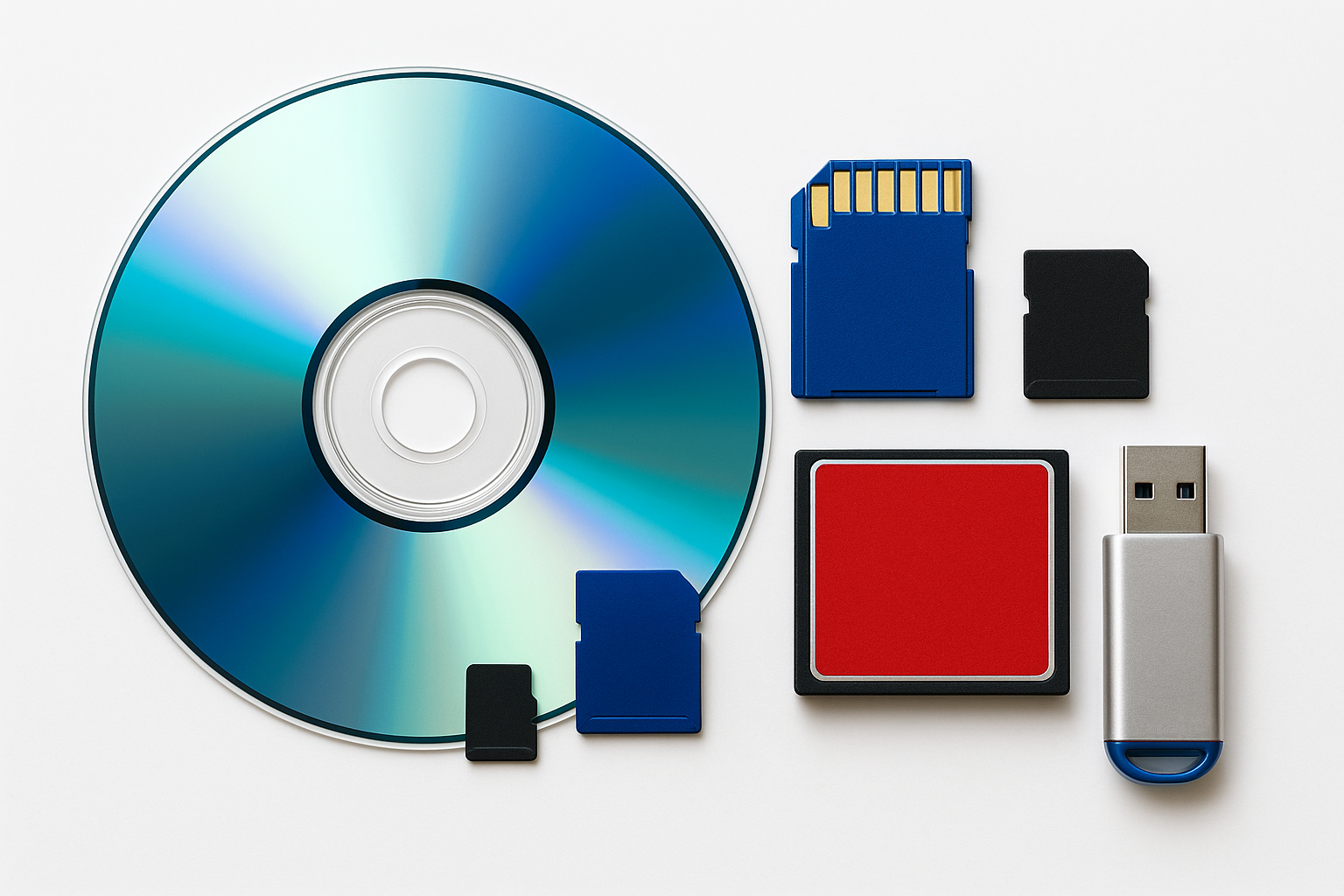
Preserve your Plethora of Digital media - one card or Disc at a time
CDs • DVDs • MiniDisc (Sony) • Mini CDs • USB • SD Cards • MicroSD • CompactFlash • 3.5” Floppy • Iomega Jaz/Zip • SyQuest
Digitized bit-for-bit to the original file format they came in. DVD’s will be converted to MP4.
Your old digital media isn’t aging gracefully. Discs corrode. Flash memory fails. MiniDiscs won’t last forever.
We extract your digital files exactly as they are — no recompression, no guessing, no rebuilding — just pure 1:1 bit-for-bit duplication.
Your files never leave Mason City, and every transfer is handled with care and precision.
North Iowa & Southern Minnesota’s trusted audio-to-digital service.
Call us with Questions
641.200.4190
🛡️ Trusted Local Service
Serving North Iowa & Southern Minnesota
Why North Iowa Families Trust SnapCache
🛡️ Secure, In-House Digitizing
Your tapes never leave Mason City
⭐ 5-Star Google Rated
Safe, fast, and reliable
“Clients tell us they love our fast turnaround, clear communication, and the care we take with their family memories.”
Choose Your Audio Type
Quick pricing for every format
-
$5 each
CDs (music or data)
Mini CDs
USB drives
SD cards
MicroSD cards
CompactFlash cards
3.5” floppy disksWhat’s Included:
Bit-for-bit extraction
File verification
MP3, WAV, or FLAC output for audio
Exact copy of original files for data media
Cloud or USB delivery
-
$10 each
DVDs (video or data)
MiniDisc (Sony)
Iomega Jaz
Iomega Zip
SyQuest cartridgesWhat’s Included:
Sector-by-sector imaging
File recovery attempts on weak sectors
WAV/FLAC extraction for MiniDisc
No recompression
Delivered via cloud or USB
-
Track / File Splitting — $2 per split
Separate long recordings into chapters/tracks
Repair / Splicing — $10 per item
Applies to jammed cartridges, unreadable discs, stuck floppies, etc.
USB Delivery — Price varies by drive size
DIGITAL to Digital MEDIA TRANSFERS
Starting at $25 minimum
We safely extract and duplicate your digital files from a wide range of legacy formats.
✔ Supported Outputs:
MP3 (high-quality 320kbps)
WAV (uncompressed, archival)
FLAC (lossless compression)
Original digital file extraction (bit-for-bit exact copy)
🗂️ CHOOSE YOUR DIGITAL FORMAT
Quick pricing for every format.
🟦 $5/ea – Standard Digital Media
CDs (music or data)
USB drives
SD cards
MicroSD cards
CompactFlash cards
Mini CDs
3.5” floppy disks
🟪 $10/ea – Advanced or High-Risk Media
DVDs (video or data)
MiniDisc (Sony)
Iomega Jaz
Iomega Zip
SyQuest cartridges
🔧 OPTIONAL SERVICES
These match your existing pricing model:
✂️ File Splitting / Track Separation — $2 per split
Ideal for long recordings, personal audio mixes, archived lectures, or continuous MiniDisc tracks.
🧵 Repair / Splicing (where applicable) — $10 per disc/tape
Used when discs fail to mount, floppies need sleeve repair, or cartridges require re-lubrication.
💿 HOW DIGITAL-TO-DIGITAL TRANSFERS WORK
We use professional-grade extraction tools to ensure you get the cleanest, truest version possible.
Our process includes:
Bit-for-bit image creation
File system stabilization (ISO, UDF, FAT32, HFS as applicable)
Error-corrected sector recovery
Lossless audio extraction (where applicable)
Redundant verification checks
Clean metadata export (CD-TEXT if available)
Your results:
Clean, organized digital files
WAV/FLAC/MP3 options for audio-based formats
Exact copies of data for discs, cards, and cartridges
Delivered via cloud or USB (no CD burning)
⚠️ COMMON PROBLEMS WITH OLD DIGITAL MEDIA
Digital formats fail too — often faster than analog.
CDs & DVDs:
Disc rot (brown spots forming under the surface)
Scratch damage
Dye layer fading
Read errors from cheap burners in the 2000s
Flash Memory (SD, MicroSD, USB):
Controller failure
File system corruption
Read/write degradation
Completely dead drives
Floppies, Jaz, Zip, SyQuest:
Magnetic decay
Click-of-death (Zip)
Stiction
Mechanical cartridge failures
Digitizing now ensures your files live beyond the lifespan of their storage device.
🧠 WHY DIGITIZING DIGITAL MEDIA STILL MATTERS
Even “digital” formats degrade:
CDs/DVDs last 10–20 years on average
Flash memory can fail without warning
MiniDiscs are no longer supported by modern hardware
Older formats become unreadable as drives disappear
Digitizing preserves your original files before the hardware becomes extinct.
THE HISTORY OF DIGITAL MEDIA (1980s–2010s)
How our “modern” formats became fragile digital fossils.
💾 1. The Floppy Disk Era (1980s–1990s)
If you had a computer in the 80s or 90s, you used floppy disks — 5.25”, then the “modern” 3.5” floppy.
These small magnetic disks stored everything:
Family photos scanned on early computers
School assignments
Early business documents
Home budgets, recipes, letters
The occasional saved game from Oregon Trail or SimCity
For decades, they were reliable… until time caught up.
Why floppies fail today:
Magnetic fade (same issue as cassette tapes)
The lubricants in the disk dry out
The disk surface becomes unreadable
Drives to read them are almost extinct
Most floppies today are 20–40 years old — decades past their reliable lifespan.
💽 2. The Rise of the Compact Disc (1982–2000s)
In 1982, Sony & Philips changed the world with the CD.
Suddenly, families could store:
Music
Photos
Home-burned data discs
Video CDs (VCD)
Backup files from early computers
CD-R and CD-RW became wildly popular by the late 90s because CD burners were finally affordable.
Your family likely has:
MP3 music CDs
Photo discs burned from early digital cameras
Data archives from old PCs
Wedding and event discs
“Backups” someone never copied again
Why CDs fail today:
Organic dye layers break down (“disc rot”)
Scratches interrupt the laser
Cheap 90s/2000s discs decay rapidly
CD drives are disappearing
Most CD-Rs have a realistic lifespan of 10–20 years, meaning millions are deteriorating right now.
💿 3. DVDs and the Home Movie Revolution (1997–2015)
DVDs gave families:
Better home movie transfers
Photo slideshows
Wedding/event videos
Computer backup discs
Camcorders even recorded directly to mini DVDs.
The problem today:
DVDs were never meant to last forever.
Most consumer-grade DVDs now show:
Disc rot
Layer separation
Weak “burned” dye
Playback errors after just 10–15 years
And DVD drives? They are going away as online streaming takes over.
💽 4. MiniDisc — Sony’s Underrated Format (1992–2000s)
MiniDisc was way ahead of its time:
Portable
Durable
Editable
High-quality digital audio
Families used MiniDisc for:
Music mixes
Weddings & DJ recordings
School concerts
Church services
Band rehearsals
It was the perfect format — until the iPod killed it.
Why MiniDisc is risky now:
ATRAC compression is proprietary and dying
Drives and players are failing
Optical mechanisms jam
USB extraction requires special hardware
Your MiniDiscs will not be readable forever — now is the window to preserve them.
💽 5. Zip, Jaz, and SyQuest — The Forgotten Storage Giants (1990s)
If you owned a computer in the 90s, these were the big storage solutions before USB drives existed.
SyQuest (1980s–1990s)
Used by graphic artists, photographers, and businesses.
Cartridges held enormous amounts of data for their time.
Now the drives are nearly impossible to find.
Iomega Zip (1994)
Took the world by storm with 100MB, then 250MB, then 750MB disks.
Iomega Jaz (1995)
A powerhouse with 1GB–2GB removable disks.
Families used these for:
Early digital photos
School projects
Business archives
Tax documents
Personal writing
Why these formats fail today:
“Click of Death” (infamous mechanical fault)
Head misalignment
Magnetic decay
The drives themselves are dying
These formats are urgent to extract now — they are some of the most at-risk digital media ever made.
🪪 6. Memory Cards — The Early Digital Camera Boom (2000s–2010s)
Before smartphones, digital cameras ruled, and memory cards held our lives.
Families stored on:
SD cards
MicroSD
CompactFlash
xD cards
Sony MemoryStick
These cards hold:
The first digital photos of your kids
Family vacations from the 2000s
Graduations, holidays, birthdays
Some of the earliest digital videos
Why memory cards fail:
Wear on the flash cells
Corrupted file systems
Bent or damaged contacts
Aging controllers that suddenly die
Flash memory has a lifespan of 5–15 years depending on use and storage.
🧩 The Big Problem Today
All these formats share one thing:
⚠️ They are aging out — and the devices needed to read them are disappearing even faster.
Floppies: no drives
CDs/DVDs: optical drives are not built into computers anymore
MiniDisc: drives failing
Zip/Jaz/SyQuest: hardware practically gone
Memory cards: corrupt easily, older cameras dead
Early USB drives: controller chips fail without warning
Digitizing now is the only way to prevent permanent loss.
Your Home Movies are not getting any Younger
Your family’s “modern media” is already reaching the end of its lifespan — quietly corrupting, fading, becoming unreadable.
Why wait?